Provisioning GCP Services with Terraform: Cloud Run, Pub/Sub, and Cloud SQL
S01E04 of Terraform for Application Engineers
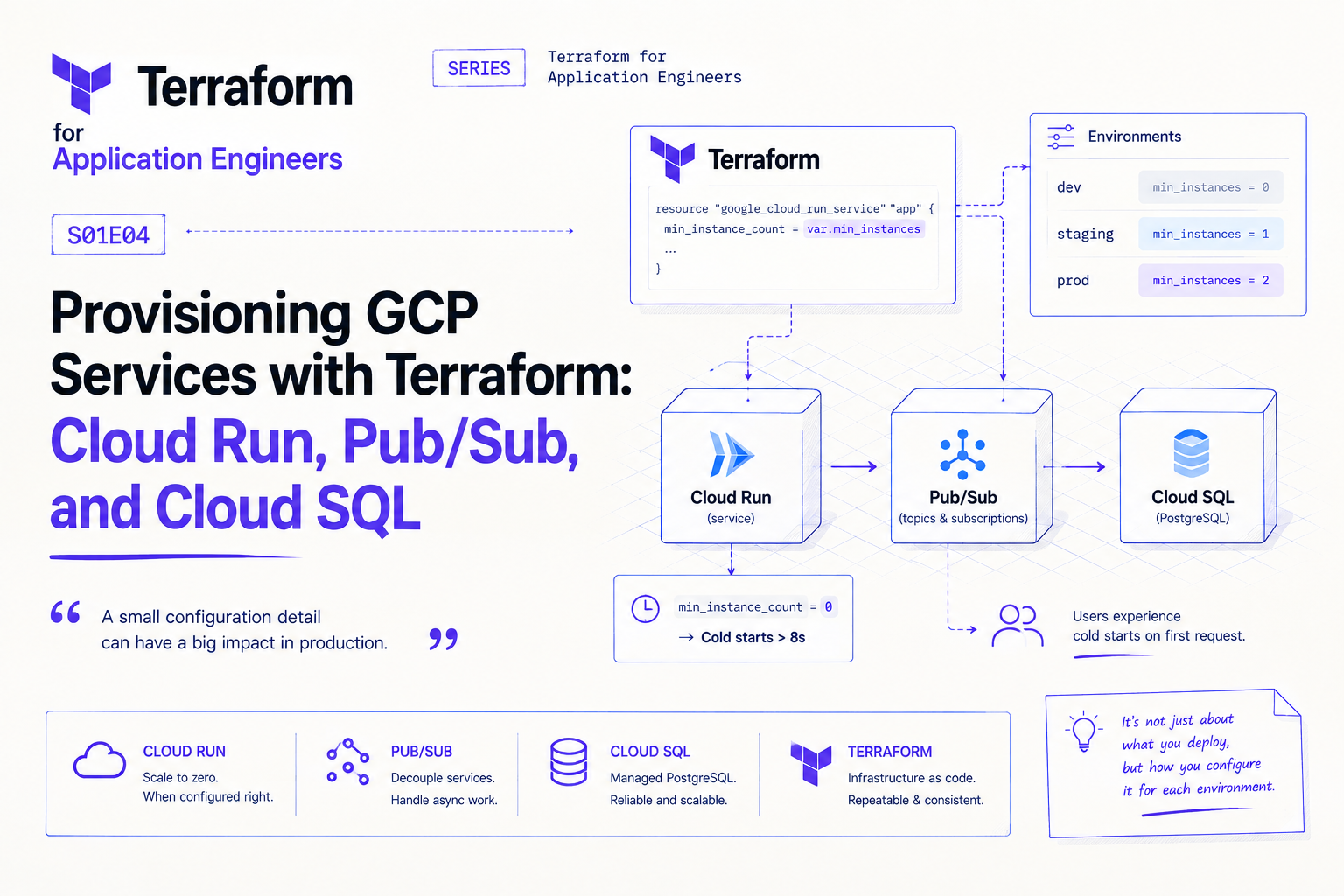
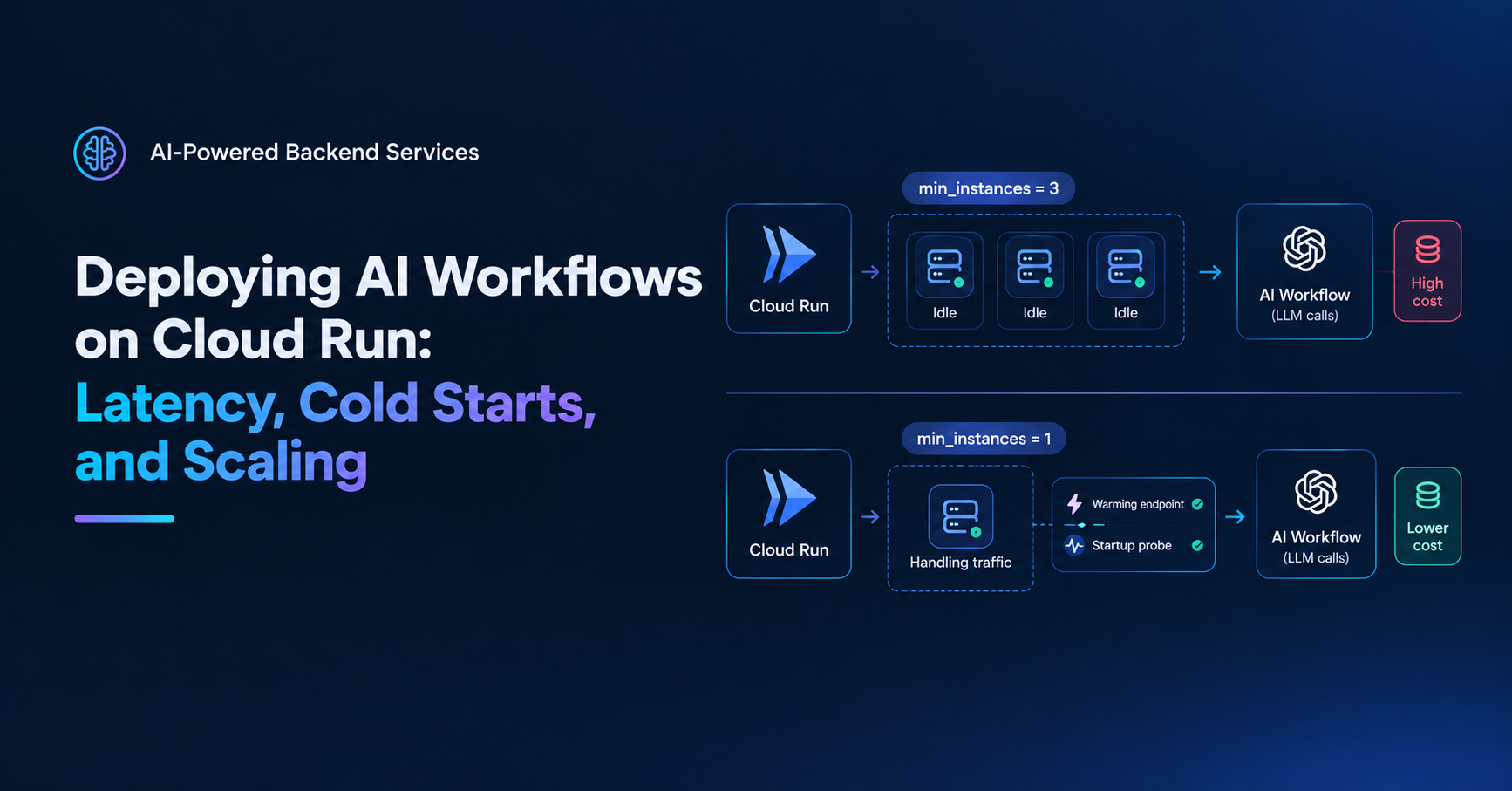
The Cloud Run service had been scaled to zero for eleven days before anyone noticed.
min_instance_count was set to 0 in the Terraform config — correct for dev, copied unchanged into prod. Cold start latency on the first request after an idle period was over 8 seconds. Clients assumed the feature was broken. A few stopped using it. Nobody filed a bug report because the requests eventually succeeded.
The misconfiguration wasn't caught in code review because it looked correct. Zero is a valid value. The problem was context — 0 in prod means real users experience cold starts on every feature that's used infrequently. The fix was a variable with a different default per environment, enforced by the validation pattern from S01E03.
This is the category of mistake that Terraform makes visible once you know to look for it — not in the apply output, but in the plan diff when you compare environments.
Cloud Run
Cloud Run has more configuration surface than it appears. The resources that matter most in production:
resource "google_cloud_run_v2_service" "api" {
  name     = "pulsecart-${var.environment}-api"
  location = var.gcp_region

  template {
    scaling {
      min_instance_count = var.min_instances   # 0 in dev, 1+ in prod
      max_instance_count = var.max_instances
    }

    timeout = "30s"   # request timeout — match your Pub/Sub ack deadline

    containers {
      image = var.api_image

      resources {
        limits = {
          cpu    = var.cpu_limit
          memory = var.memory_limit
        }
        cpu_idle          = false   # keep CPU allocated between requests in prod
        startup_cpu_boost = true    # extra CPU during cold start
      }

      env {
        name  = "ENVIRONMENT"
        value = var.environment
      }

      env {
        name = "DATABASE_URL"
        value_source {
          secret_key_ref {
            secret  = google_secret_manager_secret.database_url.secret_id
            version = "latest"
          }
        }
      }

      liveness_probe {
        http_get {
          path = "/health"
        }
        initial_delay_seconds = 10
        period_seconds        = 30
        failure_threshold     = 3
      }
    }

    service_account = google_service_account.cloud_run.email
  }

  traffic {
    type    = "TRAFFIC_TARGET_ALLOCATION_TYPE_LATEST"
    percent = 100
  }
}
Three things worth calling out:
cpu_idle = false keeps CPU allocated between requests rather than throttling it to near-zero when idle. For services with consistent traffic, this reduces latency variance. For bursty or infrequent traffic, set it to true and accept the variance in exchange for lower cost.
startup_cpu_boost = true gives the instance extra CPU during cold start. Doesn't eliminate cold starts — reduces their duration.
timeout = "30s" should match your Pub/Sub ack deadline if this service is a push subscription consumer. A mismatch means the subscription retries before the handler has finished processing.
IAM for Cloud Run
Cloud Run services need a service account with the right permissions. Don't use the default compute service account — it has too much access. Create a dedicated one:
resource "google_service_account" "cloud_run" {
  account_id   = "pulsecart-${var.environment}-run"
  display_name = "PulseCart Cloud Run Service Account"
}

# Pub/Sub publisher
resource "google_project_iam_member" "run_pubsub_publisher" {
  project = var.gcp_project_id
  role    = "roles/pubsub.publisher"
  member  = "serviceAccount:${google_service_account.cloud_run.email}"
}

# Secret Manager reader
resource "google_project_iam_member" "run_secret_accessor" {
  project = var.gcp_project_id
  role    = "roles/secretmanager.secretAccessor"
  member  = "serviceAccount:${google_service_account.cloud_run.email}"
}

# Cloud SQL client
resource "google_project_iam_member" "run_cloudsql_client" {
  project = var.gcp_project_id
  role    = "roles/cloudsql.client"
  member  = "serviceAccount:${google_service_account.cloud_run.email}"
}
Least privilege per service. The API service account gets publisher, secret accessor, and Cloud SQL client — nothing else.
Pub/Sub
Topics and subscriptions are straightforward to provision, but the dead-letter and retry configuration is where teams cut corners:
resource "google_pubsub_topic" "commerce_events" {
  name                       = "pulsecart-commerce-events"
  message_retention_duration = "604800s"   # 7 days
}

resource "google_pubsub_topic" "commerce_events_dlq" {
  name = "pulsecart-commerce-events-dead-letter"
}

resource "google_pubsub_subscription" "realtime_consumer" {
  name  = "sub-realtime-consumer"
  topic = google_pubsub_topic.commerce_events.name

  ack_deadline_seconds    = 30
  enable_message_ordering = true

  push_config {
    push_endpoint = "${google_cloud_run_v2_service.api.uri}/consumer/push"

    oidc_token {
      service_account_email = google_service_account.cloud_run.email
    }
  }

  dead_letter_policy {
    dead_letter_topic     = google_pubsub_topic.commerce_events_dlq.id
    max_delivery_attempts = 5
  }

  retry_policy {
    minimum_backoff = "10s"
    maximum_backoff = "300s"
  }

  depends_on = [google_cloud_run_v2_service.api]
}
The push_endpoint references the Cloud Run service URI directly — Terraform resolves this as a dependency and provisions the Cloud Run service before the subscription. No manual coordination needed.
The oidc_token block is what prevents unauthenticated requests to your push endpoint. Without it, anyone can POST to your consumer URL. With it, Pub/Sub signs requests with the service account's identity and your Cloud Run service can verify them.
Cloud SQL
Cloud SQL has the most configuration variance between dev and prod of any service in this stack:
resource "google_sql_database_instance" "pulsecart" {
  name             = "pulsecart-${var.environment}-postgres"
  database_version = "POSTGRES_15"
  region           = var.gcp_region

  deletion_protection = var.deletion_protection   # true in prod, false in dev

  settings {
    tier              = var.db_tier
    availability_type = var.db_availability_type   # ZONAL in dev, REGIONAL in prod

    backup_configuration {
      enabled                        = var.environment == "prod"
      start_time                     = "03:00"
      point_in_time_recovery_enabled = var.environment == "prod"
      transaction_log_retention_days = 7
    }

    ip_configuration {
      ipv4_enabled    = false
      private_network = google_compute_network.vpc.id
    }

    database_flags {
      name  = "max_connections"
      value = tostring(var.db_max_connections)
    }

    insights_config {
      query_insights_enabled  = true
      query_string_length     = 1024
      record_application_tags = true
    }
  }
}

resource "google_sql_database" "pulsecart" {
  name     = "pulsecart"
  instance = google_sql_database_instance.pulsecart.name
}

resource "google_sql_user" "app" {
  name     = "pulsecart_app"
  instance = google_sql_database_instance.pulsecart.name
  password = data.google_secret_manager_secret_version.db_password.secret_data
}
insights_config enables Cloud SQL Query Insights — slow query detection, query plans, and per-tag breakdowns with zero application changes. Turn it on from day one. It's free on most tiers and saves significant debugging time.
max_connections as a database flag lets you set it explicitly rather than relying on Cloud SQL's tier-based default. Set it to something you've calculated against your Cloud Run instance count and pool size (from the connection pooling post) rather than accepting whatever the default is.
availability_type = "REGIONAL" in prod provisions a standby replica in another zone with automatic failover. ZONAL in dev saves cost. The variable makes the difference explicit and auditable in code review.
Outputs That Connect the Dots
The value of provisioning these services together in Terraform is that outputs wire them automatically:
# outputs.tf
output "api_url" {
  value       = google_cloud_run_v2_service.api.uri
  description = "Cloud Run service URL — referenced by Pub/Sub subscription"
}

output "db_connection_name" {
  value       = google_sql_database_instance.pulsecart.connection_name
  description = "Used by Cloud SQL Auth Proxy"
}

output "commerce_events_topic" {
  value       = google_pubsub_topic.commerce_events.id
  description = "Used by the FastAPI producer service"
}
The Cloud Run URL feeds directly into the Pub/Sub push endpoint. The Cloud SQL connection name feeds into the application config. Nothing is hardcoded, nothing is manually coordinated — the dependency graph is in the Terraform config, not in a Notion doc.
About the author
- Senior full-stack engineer and engineering lead with 5+ years building cloud-native systems at scale. I write about the things the docs don't cover — GCP, FastAPI, Terraform, event-driven architecture, and AI-powered backends. No hello-world demos.
Comments
Join the discussionNo comments yet. Be the first to comment.
Terraform for Application Engineers
Most Terraform content is written for DevOps and platform teams. This series is for application engineers who build the services and should own the infrastructure that runs them. Each post covers one real decision — module design, state management, secrets, CI/CD, GCP provisioning — with the context that only comes from being close to the application code. No ops background required