GitHub Actions I Set Up on Every Project
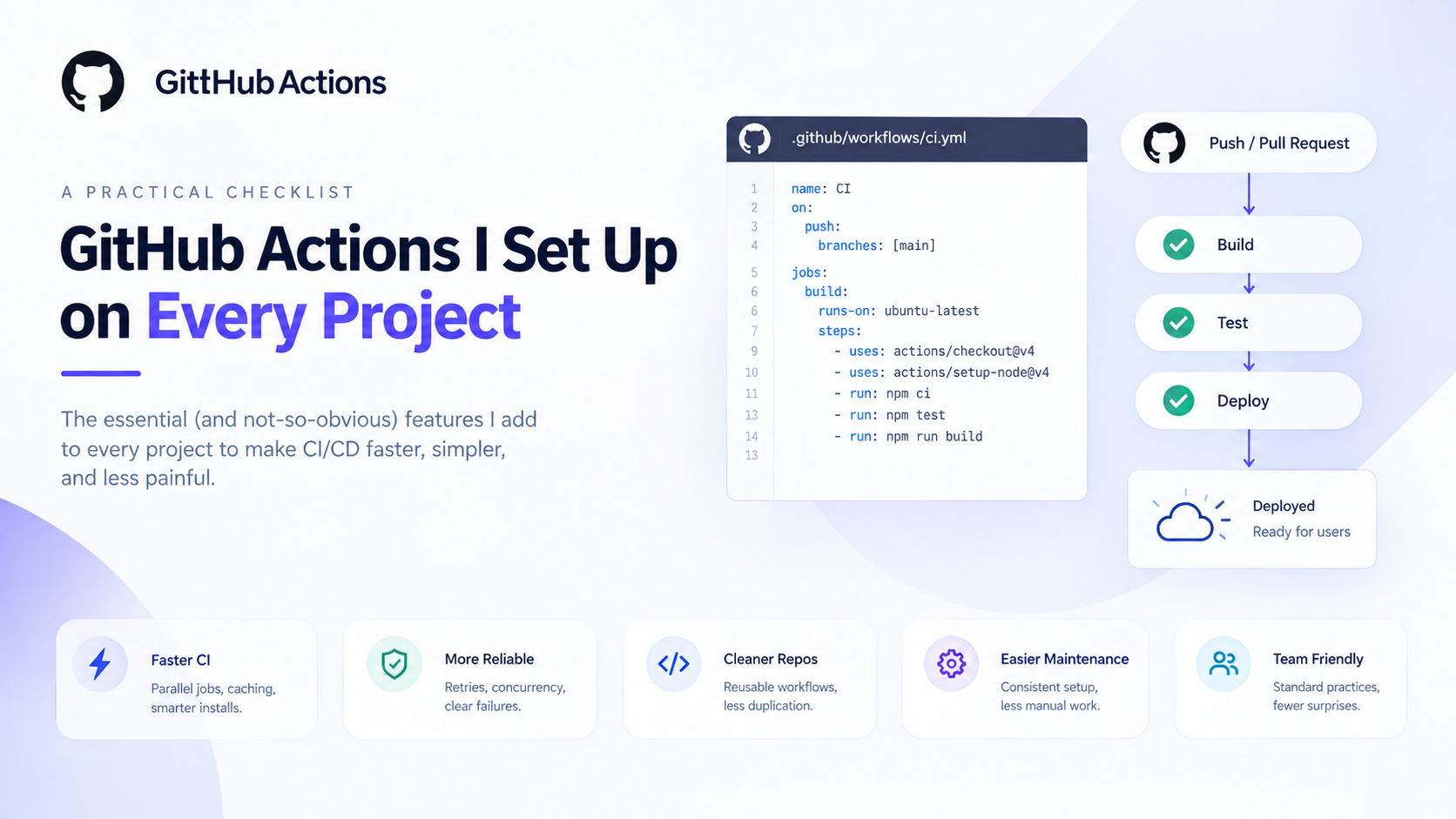
Most engineers using GitHub Actions daily know how to write a basic workflow — checkout, install dependencies, run tests, deploy. That covers 80% of what they need. The other 20% is a set of features that solve specific, recurring pain points — slow CI, queued runs piling up, duplicated workflow code across repos. I learned each of these one at a time, when the problem they solve became annoying enough to investigate.
Here's the full set, in the order I typically add them to a project.
1. Dependency Caching
Without caching, every CI run installs dependencies from scratch. For a Python project with 50 packages, that's 30–60 seconds of install time on every push. Multiply by a team of five pushing multiple times a day and it adds up fast.
- name: Cache pip dependencies
  uses: actions/cache@v4
  with:
    path: ~/.cache/pip
    key: ${{ runner.os }}-pip-${{ hashFiles('**/requirements*.txt') }}
    restore-keys: |
      ${{ runner.os }}-pip-

- name: Install dependencies
  run: pip install -r requirements.txt
The key is a hash of your requirements file. When the file changes, the hash changes, the cache misses, and a fresh install runs. When requirements haven't changed, the cache hits and the install step is skipped entirely — typically saving 30–90 seconds per run.
restore-keys is the fallback: if the exact key misses (say, you added one package), it falls back to the last cache with the ${{ runner.os }}-pip- prefix rather than starting cold. Partial cache hit beats a full cold install.
Same pattern works for Node.js (~/.npm), Go modules (~/go/pkg/mod), and Docker layer caching.
2. Concurrency Groups
Rapid pushes to the same branch queue up pipeline runs. If you push three times in quick succession, you're waiting for three sequential CI runs — even though only the last one matters.
concurrency:
  group: ${{ github.workflow }}-${{ github.ref }}
  cancel-in-progress: true
Add this at the top level of any workflow file. When a new run starts on the same branch, the in-progress run is cancelled. Only the latest run completes. CI stays responsive, the queue doesn't build up, and you're not paying for compute running pipelines that are already superseded.
For production deploys where you don't want cancellation mid-deploy:
concurrency:
  group: deploy-prod
  cancel-in-progress: false   # queue, don't cancel
3. Matrix Builds
Testing across multiple Python versions, Node versions, or operating systems normally means duplicating job definitions. Matrix builds collapse that into one:
jobs:
  test:
    runs-on: ubuntu-latest
    strategy:
      matrix:
        python-version: ["3.11", "3.12", "3.13"]
      fail-fast: false   # don't cancel other versions if one fails

    steps:
      - uses: actions/checkout@v4
      - uses: actions/setup-python@v5
        with:
          python-version: ${{ matrix.python-version }}
      - run: pip install -r requirements.txt
      - run: pytest tests/
Three jobs run in parallel, each on a different Python version. Total CI time is the slowest single job, not the sum of all three. fail-fast: false lets all versions run to completion even if one fails — useful when you want to see the full compatibility picture rather than stopping at the first failure.
Matrix variables can be anything — environment names, database versions, cloud regions. It's not just for language versions.
4. Reusable Workflows
Teams with multiple repos tend to duplicate CI logic — the same lint, test, and build steps copy-pasted across every repository. Reusable workflows fix this: define the logic once, call it from anywhere.
# .github/workflows/shared-test.yml (in a central repo or the same repo)
on:
  workflow_call:
    inputs:
      python-version:
        type: string
        default: "3.12"
    secrets:
      GCP_SA:
        required: true

jobs:
  test:
    runs-on: ubuntu-latest
    steps:
      - uses: actions/checkout@v4
      - uses: actions/setup-python@v5
        with:
          python-version: ${{ inputs.python-version }}
      - run: pip install -r requirements.txt
      - run: pytest tests/
# .github/workflows/ci.yml (in any consuming repo)
jobs:
  test:
    uses: your-org/shared-workflows/.github/workflows/shared-test.yml@main
    with:
      python-version: "3.12"
    secrets:
      GCP_SA: ${{ secrets.GCP_SA }}
Update the shared workflow once and every repo that calls it gets the update automatically. For a team running five or six services, this eliminates a significant amount of CI maintenance overhead.
5. Job Outputs
Jobs in a workflow don't share state by default. If your build job creates a Docker image tag, the deploy job needs that tag — without job outputs, you'd have to hardcode it or pass it through an artifact file.
jobs:
  build:
    runs-on: ubuntu-latest
    outputs:
      image-tag: ${{ steps.tag.outputs.tag }}

    steps:
      - uses: actions/checkout@v4

      - name: Generate image tag
        id: tag
        run: echo "tag=${{ github.sha }}" >> $GITHUB_OUTPUT

      - name: Build and push
        run: |
          docker build -t gcr.io/your-project/api:${{ steps.tag.outputs.tag }} .
          docker push gcr.io/your-project/api:${{ steps.tag.outputs.tag }}

  deploy:
    needs: build
    runs-on: ubuntu-latest

    steps:
      - name: Deploy to Cloud Run
        run: |
          gcloud run deploy pulsecart-api \
            --image gcr.io/your-project/api:${{ needs.build.outputs.image-tag }} \
            --region us-central1
The image-tag output flows from the build job to the deploy job cleanly. No artifacts, no hardcoding, no environment variable gymnastics.
6. Manual Triggers with Inputs
push and pull_request triggers cover most cases. For on-demand deploys to a specific environment — "deploy this to staging right now" — workflow_dispatch with typed inputs is the right tool:
on:
  workflow_dispatch:
    inputs:
      environment:
        description: "Target environment"
        type: choice
        options: [dev, staging, prod]
        required: true
      version:
        description: "Image tag to deploy (leave blank for latest)"
        type: string
        required: false

jobs:
  deploy:
    runs-on: ubuntu-latest
    steps:
      - name: Deploy
        run: |
          TAG=${{ inputs.version || github.sha }}
          gcloud run deploy pulsecart-api \
            --image gcr.io/your-project/api:$TAG \
            --region us-central1 \
            --project ${{ inputs.environment == 'prod' && secrets.PROD_PROJECT || secrets.DEV_PROJECT }}
Triggerable from the GitHub Actions UI, the GitHub CLI (gh workflow run), or the API. The choice input type renders as a dropdown in the UI — no free-text mistakes on environment names.
None of these are advanced features. They're in the documentation. They just don't come up naturally until you hit the problem they solve — slow CI, queued runs, duplicated YAML, jobs that can't talk to each other. Worth adding to your defaults before the pain arrives rather than after.
About the author
- Senior full-stack engineer and engineering lead with 5+ years building cloud-native systems at scale. I write about the things the docs don't cover — GCP, FastAPI, Terraform, event-driven architecture, and AI-powered backends. No hello-world demos.
Comments
Join the discussionSetting concurrency groups with cancel-in-progress on pull requests saves a lot of runner time. It prevents older commits from queuing up duplicate test runs when developers push rapid fixup commits.
Exactly — the queue buildup from rapid fixup commits is the most visible pain point that concurrency groups solve. The cancel-in-progress: false distinction for deploys is worth keeping in mind too, where you want queuing rather than cancellation.
The reusable workflows section is a great addition. One thing I’ve found useful is treating the workflow interface almost like an API: keep inputs and outputs explicit, document the expected permissions, and avoid making the reusable workflow depend on repository-specific assumptions. That makes it much easier to reuse the same workflow across projects without creating hidden coupling. The combination of reusable workflows, caching, and concurrency can make a surprisingly big difference as a project grows.
"Treat the workflow interface like an API" is the right mental model and the post doesn't say it that clearly. Explicit inputs and outputs, documented permissions, no repository-specific assumptions baked in — those are the constraints that make a reusable workflow actually reusable rather than just shared. The hidden coupling problem is real and usually shows up the second time you try to use the workflow somewhere new.
The reusable-workflow section is missing one option worth naming: secrets: inherit instead of listing each secret name explicitly. Handy once a caller needs a dozen secrets, but it also means every secret available to the caller becomes available to the callee, which is a real governance tradeoff once a shared workflow lives in a repo with anything sensitive in it. Worth deciding per-repo rather than defaulting to it.
Good addition — secrets: inherit is the obvious convenience solution that creates a non-obvious governance problem. Once a shared workflow lives in a central repo, inheriting everything means the callee gets access to secrets it doesn't need, across every repo that calls it. Fine for a small team with a single org repo. Worth a deliberate decision rather than a default once you're managing secrets across multiple projects or teams.