FastAPI Producer: Publishing Commerce Events to Pub/Sub
Day 3 of Building PulseCart: Event-Driven Architecture on GCP

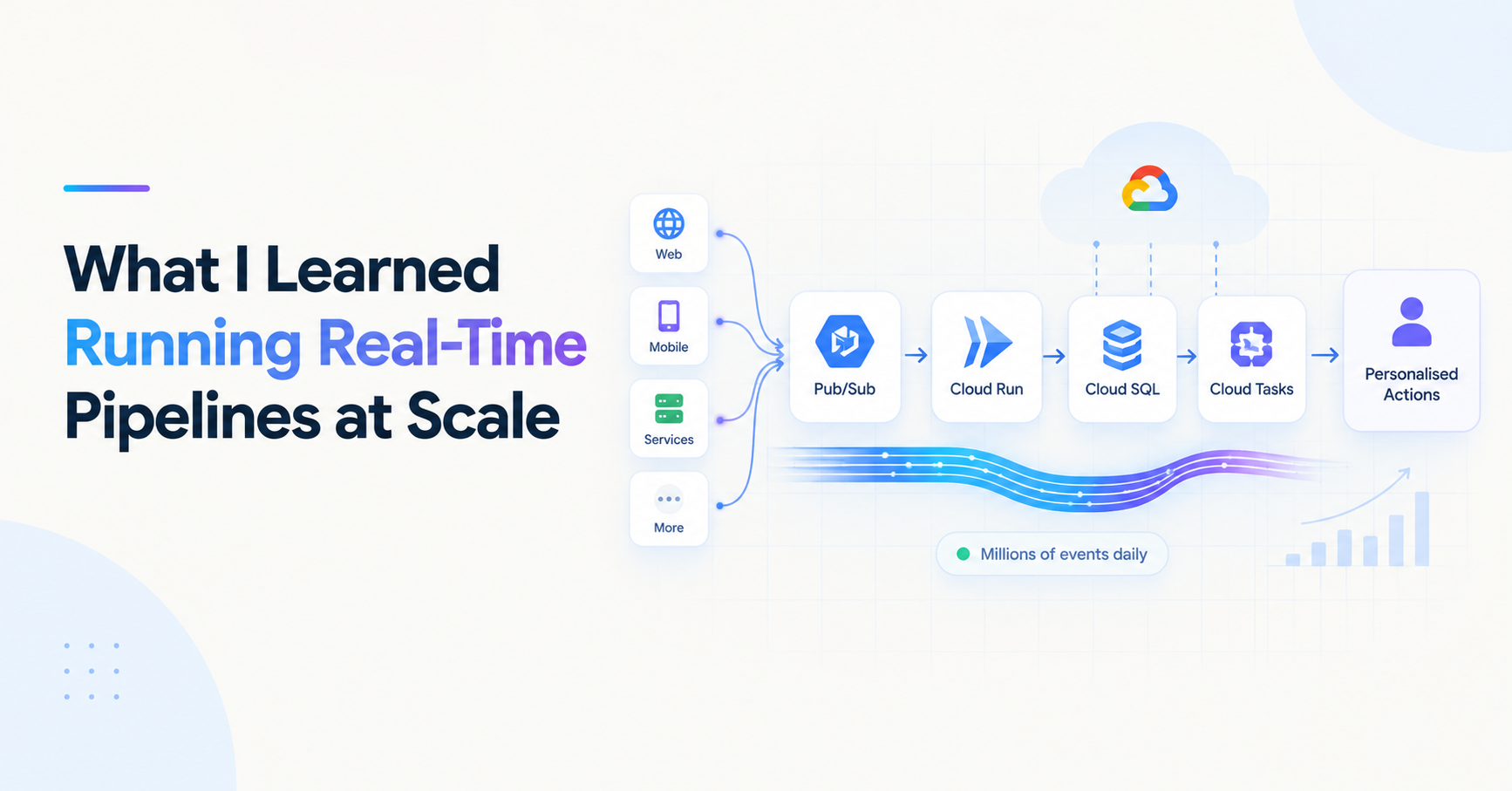
We have a taxonomy (Day 1) and a Pub/Sub backbone (Day 2). Now we build the service that connects them: the FastAPI ingestion service that receives commerce events, validates them, and publishes them to the right Pub/Sub topic.
This service is the entry point to PulseCart's entire event pipeline. Everything downstream — Cloud Run consumers, Cloud Tasks, Airflow DAGs — depends on what comes out of this producer. Getting the validation, routing, and delivery semantics right here saves pain at every layer below.
What the Producer Needs to Do
The producer has four responsibilities, in order:
Receive an event via HTTP POST from internal services (checkout, cart, user signup)
Validate the event against the Pydantic schema for that event type
Enrich it with a
event_idandtimestampif not already presentPublish it to the correct Pub/Sub topic with the right message attributes
It deliberately does nothing else. No business logic, no database writes, no downstream calls. Its job is ingestion and publishing — fast, reliable, and stateless.
Project Structure
pulsecart-producer/
├── main.py
├── models/
│   ├── __init__.py
│   ├── base.py          # PulseCartEvent base schema
│   └── commerce.py      # CartItemAdded, OrderPlaced, CartAbandoned, etc.
├── services/
│   ├── __init__.py
│   └── publisher.py     # Pub/Sub publishing logic
├── routers/
│   ├── __init__.py
│   └── events.py        # FastAPI route handlers
├── config.py            # GCP project ID, topic names, env config
└── requirements.txt
The Event Models
We introduced PulseCartEvent in Day 1. Here's the full set of models for PulseCart's commerce events:
# models/base.py
from pydantic import BaseModel, Field
from typing import Any, Dict
from datetime import datetime
import uuid

class PulseCartEvent(BaseModel):
    event_type: str
    event_id: str = Field(default_factory=lambda: f"evt_{uuid.uuid4().hex[:12]}")
    timestamp: datetime = Field(default_factory=datetime.utcnow)
    user_id: str
    payload: Dict[str, Any]
# models/commerce.py
from .base import PulseCartEvent
from typing import List, Optional

class CartItemAddedEvent(PulseCartEvent):
    event_type: str = "cart.item_added"
    session_id: str

class OrderPlacedEvent(PulseCartEvent):
    event_type: str = "order.placed"
    order_id: str

class CartAbandonedEvent(PulseCartEvent):
    event_type: str = "cart.abandoned"
    session_id: str

class PaymentFailedEvent(PulseCartEvent):
    event_type: str = "payment.failed"
    order_id: str

# Registry: maps event_type string to its model class
EVENT_REGISTRY = {
    "cart.item_added": CartItemAddedEvent,
    "order.placed": OrderPlacedEvent,
    "cart.abandoned": CartAbandonedEvent,
    "payment.failed": PaymentFailedEvent,
}
The EVENT_REGISTRY dict is the key pattern here — it lets the router dynamically resolve the correct model for any incoming event type without a chain of if/elif blocks.
The Publisher Service
# services/publisher.py
from google.cloud import pubsub_v1
from google.api_core.exceptions import GoogleAPICallError
from config import settings
import json
import logging

logger = logging.getLogger(__name__)

publisher = pubsub_v1.PublisherClient()

TOPIC_MAP = {
    "user-actions":    ["cart.item_added", "product.viewed", "search.performed"],
    "commerce-events": ["order.placed", "cart.abandoned", "payment.failed"],
    "system-events":   ["message.personalized_send", "inventory.low_stock_alert"],
}

def resolve_topic(event_type: str) -> str:
    for topic_suffix, event_types in TOPIC_MAP.items():
        if event_type in event_types:
            topic_name = f"pulsecart.{topic_suffix}"
            return publisher.topic_path(settings.gcp_project_id, topic_name)
    raise ValueError(f"No topic mapping found for event_type: {event_type}")


async def publish_event(event: dict) -> str:
    topic_path = resolve_topic(event["event_type"])

    message_data = json.dumps(event, default=str).encode("utf-8")

    try:
        future = publisher.publish(
            topic_path,
            data=message_data,
            ordering_key=event["user_id"],
            event_type=event["event_type"],       # message attribute for filtering
            event_id=event["event_id"],           # attribute for deduplication downstream
        )
        message_id = future.result(timeout=10)
        logger.info(f"Published {event['event_type']} | event_id={event['event_id']} | msg_id={message_id}")
        return message_id

    except GoogleAPICallError as e:
        logger.error(f"Pub/Sub publish failed for {event['event_type']}: {e}")
        raise
A few things worth noting here:
ordering_key=event["user_id"] — as established in Day 2, user-scoped ordering ensures events for a given user arrive in sequence at the consumer.
Message attributes — event_type and event_id are published as Pub/Sub message attributes (not inside the payload). This lets consumers filter by event_type at the subscription level without deserializing the message body, which is faster and cleaner.
future.result(timeout=10) — this blocks until Pub/Sub confirms the message was received. For a synchronous HTTP endpoint this is acceptable; the publish call typically resolves in under 100ms. If you need higher throughput, you'd batch publishes or use async publishing with callbacks instead.
The FastAPI Router
# routers/events.py
from fastapi import APIRouter, HTTPException, status
from models.commerce import EVENT_REGISTRY
from models.base import PulseCartEvent
from services.publisher import publish_event
from pydantic import ValidationError
import logging

logger = logging.getLogger(__name__)
router = APIRouter(prefix="/events", tags=["events"])


@router.post("/ingest", status_code=status.HTTP_202_ACCEPTED)
async def ingest_event(raw_event: dict):
    event_type = raw_event.get("event_type")

    if not event_type:
        raise HTTPException(
            status_code=status.HTTP_400_BAD_REQUEST,
            detail="Missing required field: event_type"
        )

    model_class = EVENT_REGISTRY.get(event_type)
    if not model_class:
        raise HTTPException(
            status_code=status.HTTP_422_UNPROCESSABLE_ENTITY,
            detail=f"Unknown event_type: {event_type}"
        )

    try:
        event = model_class(**raw_event)
    except ValidationError as e:
        logger.warning(f"Validation failed for {event_type}: {e}")
        raise HTTPException(
            status_code=status.HTTP_422_UNPROCESSABLE_ENTITY,
            detail=e.errors()
        )

    message_id = await publish_event(event.model_dump())

    return {
        "status": "accepted",
        "event_id": event.event_id,
        "message_id": message_id
    }
The endpoint returns 202 Accepted, not 200 OK. This is intentional: the event has been accepted and published, but processing happens downstream asynchronously. A 200 would imply the work is done, which it isn't.
The response includes both event_id (generated by the Pydantic model) and message_id (returned by Pub/Sub). Callers can use event_id to trace the event through the pipeline — it travels with the message as an attribute all the way to the consumer.
The Main App
# main.py
from fastapi import FastAPI
from routers.events import router as events_router
import logging

logging.basicConfig(level=logging.INFO)

app = FastAPI(
    title="PulseCart Event Producer",
    description="Ingestion service for PulseCart commerce events",
    version="1.0.0"
)

app.include_router(events_router)

@app.get("/health")
async def health():
    return {"status": "ok"}
Config and Environment
# config.py
from pydantic_settings import BaseSettings

class Settings(BaseSettings):
    gcp_project_id: str
    environment: str = "dev"

    class Config:
        env_file = ".env"

settings = Settings()
# .env (never commit this)
GCP_PROJECT_ID=your-gcp-project-id
ENVIRONMENT=dev
Pub/Sub authentication uses Application Default Credentials — on Cloud Run, the service account attached to the Cloud Run service handles this automatically. Locally, you run gcloud auth application-default login.
At-Least-Once Delivery and What It Means for Producers
Pub/Sub guarantees at-least-once delivery — every message will be delivered to every subscription at least once, but potentially more than once. This is not a producer concern; it's a consumer concern. The producer's job is simply to publish reliably.
What the producer does own is making sure every event has a stable, unique event_id. This is what consumers use to deduplicate — if the same event_id arrives twice, the consumer can detect and discard the duplicate. We'll cover the consumer-side deduplication pattern with Redis in Day 4.
Batching for High-Throughput Scenarios
For most PulseCart events, single-message publishing is fine. But user action events (product.viewed, search.performed) can arrive in high bursts. For those, batching reduces Pub/Sub API calls and lowers cost:
# Batch settings on the PublisherClient
from google.cloud.pubsub_v1.types import BatchSettings

batch_settings = pubsub_v1.types.BatchSettings(
    max_messages=100,
    max_bytes=1 * 1024 * 1024,  # 1MB
    max_latency=0.05,           # 50ms max wait before flushing
)

publisher = pubsub_v1.PublisherClient(batch_settings=batch_settings)
With these settings, the client accumulates up to 100 messages or 1MB (whichever comes first) and flushes within 50ms. For the pulsecart.user-actions topic, this is a sensible default. For pulsecart.commerce-events, where latency matters more than throughput efficiency, keep single-message publishing.
Testing the Producer Locally
# Run the service
uvicorn main:app --reload --port 8000

# Publish a test cart.abandoned event
curl -X POST http://localhost:8000/events/ingest \
  -H "Content-Type: application/json" \
  -d '{
    "event_type": "cart.abandoned",
    "user_id": "usr_8821",
    "session_id": "sess_44fa9b",
    "payload": {
      "cart_id": "cart_99012",
      "items": [{"product_id": "prod_991", "quantity": 1}],
      "total": 89.99
    }
  }'

# Expected response
{
  "status": "accepted",
  "event_id": "evt_a3f9b21c4d8e",
  "message_id": "136969346945"
}
For local testing against real Pub/Sub, use a dedicated dev project or the Pub/Sub emulator (gcloud beta emulators pubsub start) to avoid polluting production topics.
What's Next
Day 4 builds the Cloud Run consumer that receives these events via Pub/Sub push subscriptions — including how to handle at-least-once delivery with Redis-based idempotency, and where Cloud Tasks fits in for delayed workflows like cart abandonment reminders.
About the author
- Senior full-stack engineer and engineering lead with 5+ years building cloud-native systems at scale. I write about the things the docs don't cover — GCP, FastAPI, Terraform, event-driven architecture, and AI-powered backends. No hello-world demos.
Comments
Join the discussionNo comments yet. Be the first to comment.
Building PulseCart: Event-Driven Architecture on GCP
A hands-on series building PulseCart, a fictional e-commerce platform, using GCP's managed event-driven stack — Pub/Sub, Cloud Tasks, Cloud Run, and Airflow — instead of self-managed Kafka. Each post tackles a real production concern: event taxonomy design, delivery semantics, retries and dead-letter handling, batch orchestration, infrastructure-as-code, and observability. Written from real experience building systems that process millions of events and terabytes of data daily, this series is for engineers who want to see event-driven architecture built the way it actually gets built in production, not as a hello-world demo.